
Activity Review UI
Activity Screen Features
The activity list includes:
- saved review tabs
- date preset shortcuts
- structured diff views
- CSV and JSON exports
- dashboard widgets for trends and hotspots
Saved Filters and Date Presets
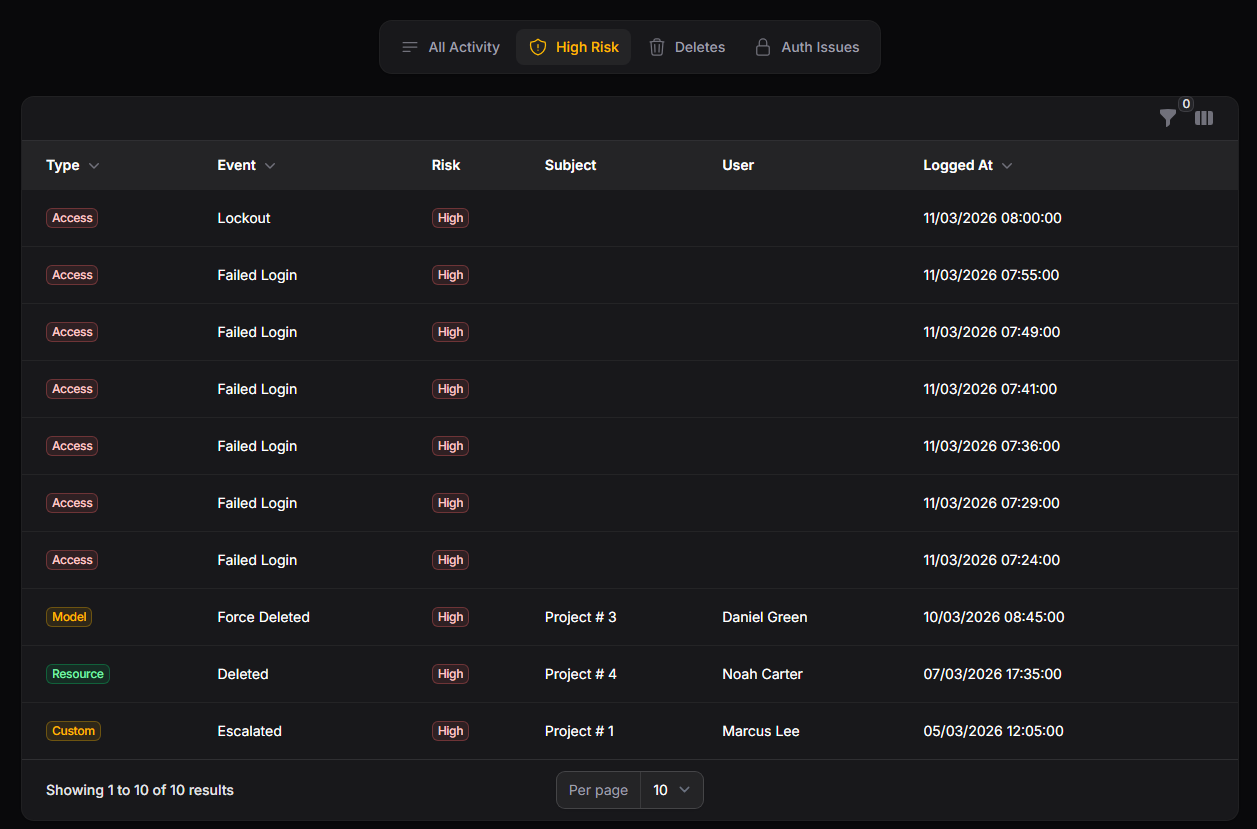
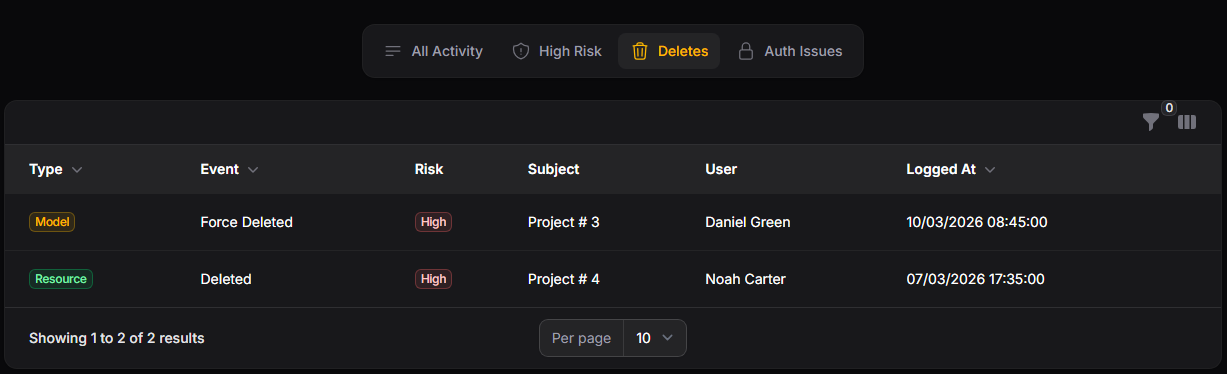
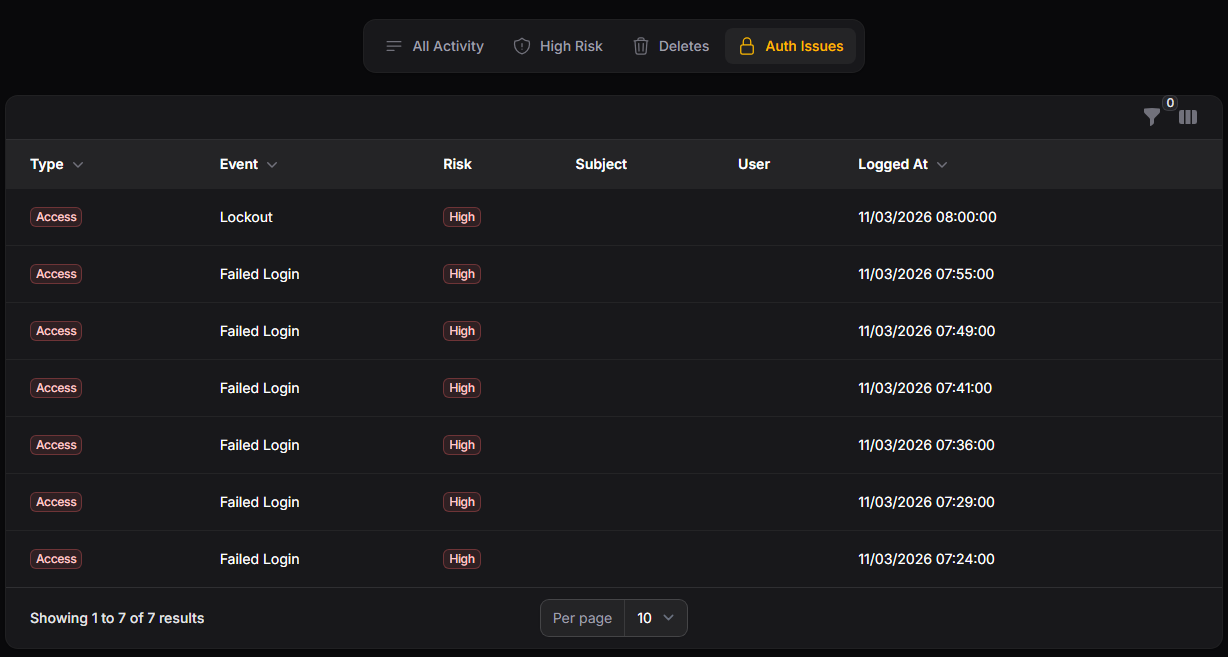
Saved filters are configured as tabs on the list page:
'activity_filters' => [
    'date_presets' => [
        'today' => 'Today',
        'last_24_hours' => 'Last 24 Hours',
        'last_7_days' => 'Last 7 Days',
        'last_30_days' => 'Last 30 Days',
        'this_month' => 'This Month',
    ],
    'saved' => [
        'high_risk' => [
            'label' => 'High Risk',
            'icon' => 'heroicon-o-shield-exclamation',
            'risk' => ['high'],
        ],
        'destructive' => [
            'label' => 'Deletes',
            'icon' => 'heroicon-o-trash',
            'events' => ['Deleted', 'Force Deleted'],
        ],
        'auth_issues' => [
            'label' => 'Auth Issues',
            'icon' => 'heroicon-o-lock-closed',
            'log_names' => ['Access'],
            'events' => ['Failed Login', 'Lockout'],
        ],
        'failed_logins' => [
            'label' => 'Failed Logins',
            'icon' => 'heroicon-o-exclamation-triangle',
            'log_names' => ['Access'],
            'events' => ['Failed Login'],
            'date_preset' => 'last_7_days',
        ],
        'destructive_recent' => [
            'label' => 'Recent Destructive',
            'icon' => 'heroicon-o-fire',
            'events' => ['Deleted', 'Force Deleted'],
            'date_preset' => 'last_7_days',
        ],
        'auth_anomalies' => [
            'label' => 'Auth Anomalies',
            'icon' => 'heroicon-o-finger-print',
            'log_names' => ['Access'],
            'events' => ['Failed Login', 'Lockout', 'Two Factor Recovery'],
            'date_preset' => 'last_30_days',
        ],
    ],
],
Structured Diff Views
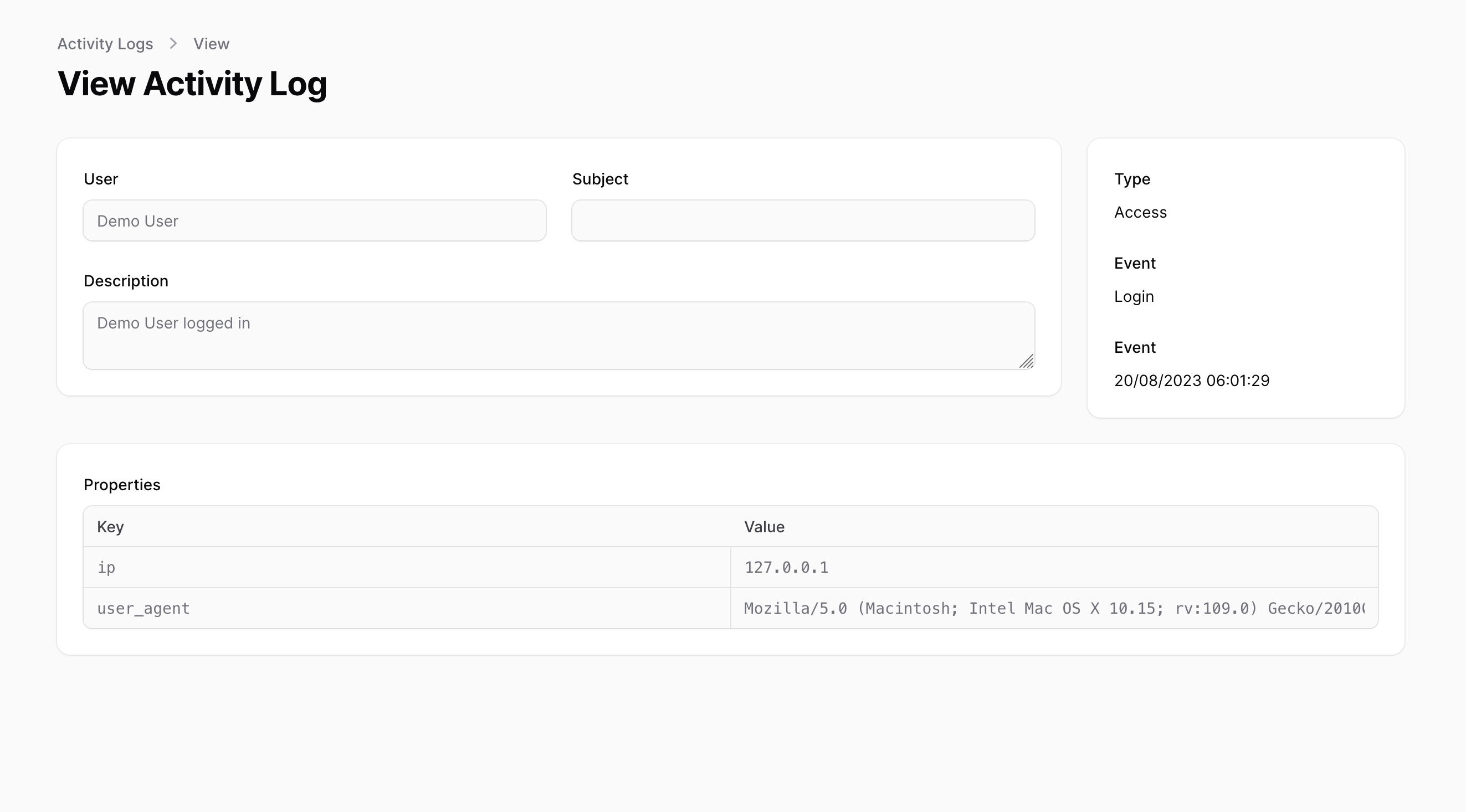
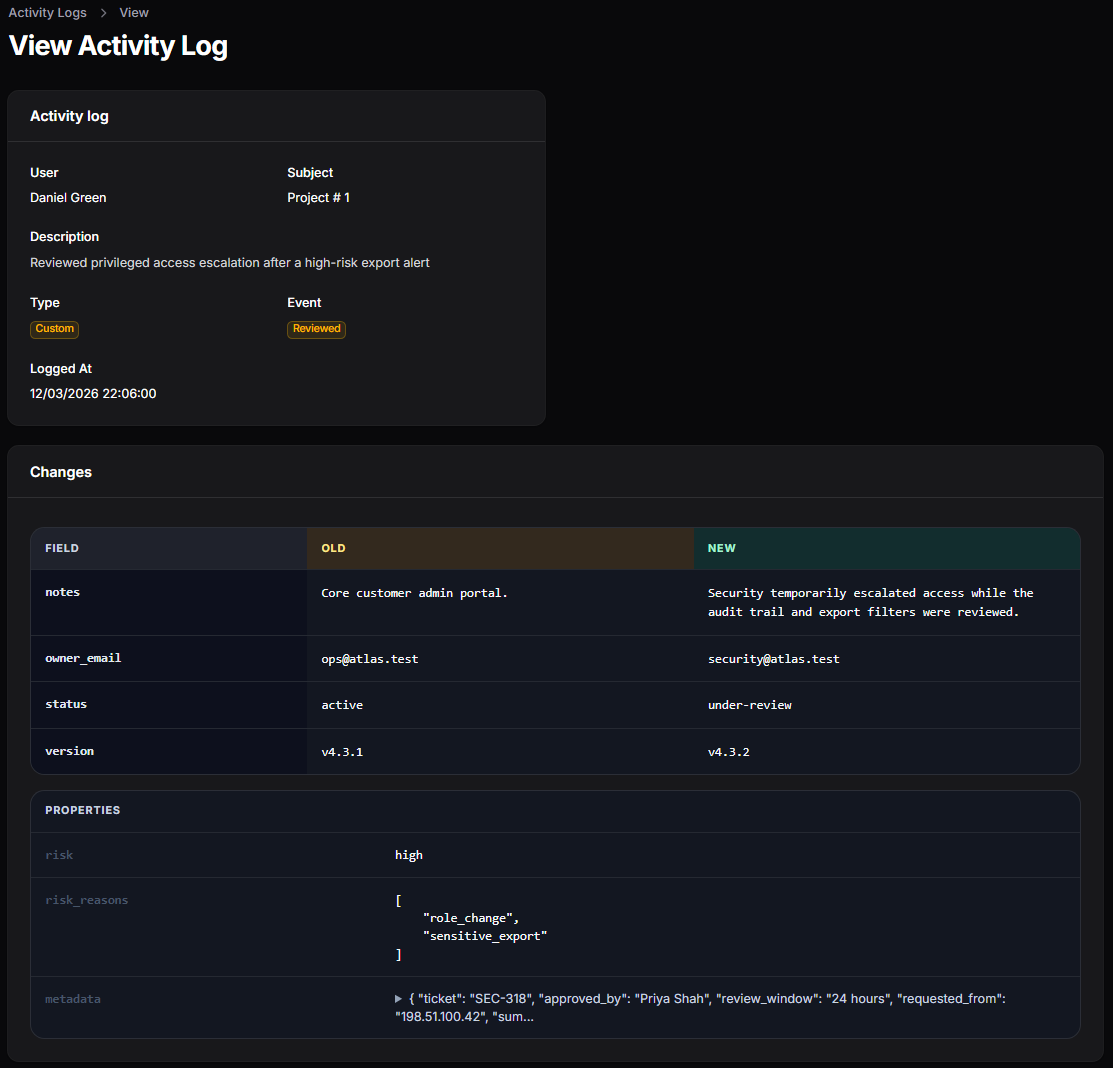
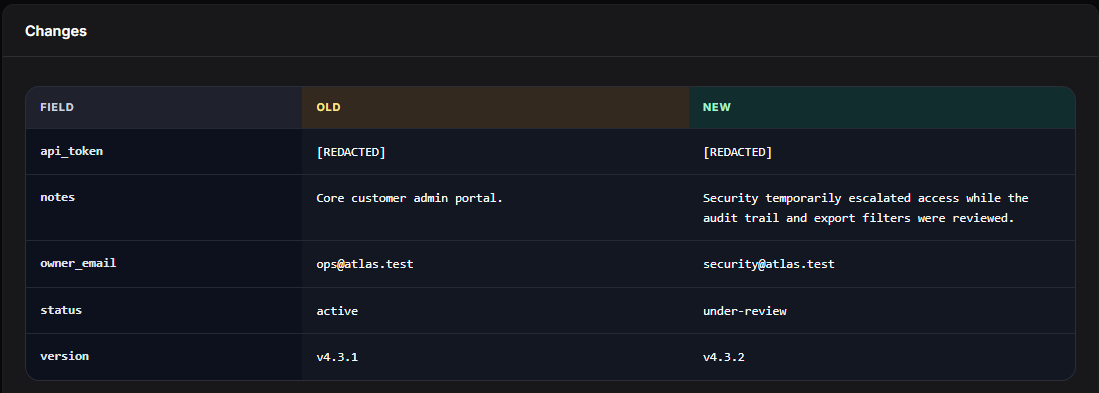
The activity detail page presents old and new values side by side, keeps larger metadata readable, and makes privacy protections visible when sensitive values are redacted.
Exporting Audit Data
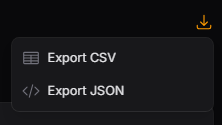
The activity screen includes CSV and JSON export actions that use the current table filters and sorting.
You can customize the export columns and chunk size:
'exports' => [
    'enabled' => true,
    'chunk_size' => 500,
    'columns' => [
        'id',
        'log_name',
        'event',
        'description',
        'subject_type',
        'subject_id',
        'causer_type',
        'causer_id',
        'causer_name',
        'risk',
        'tags',
        'properties',
        'created_at',
    ],
],
Dashboard Widgets
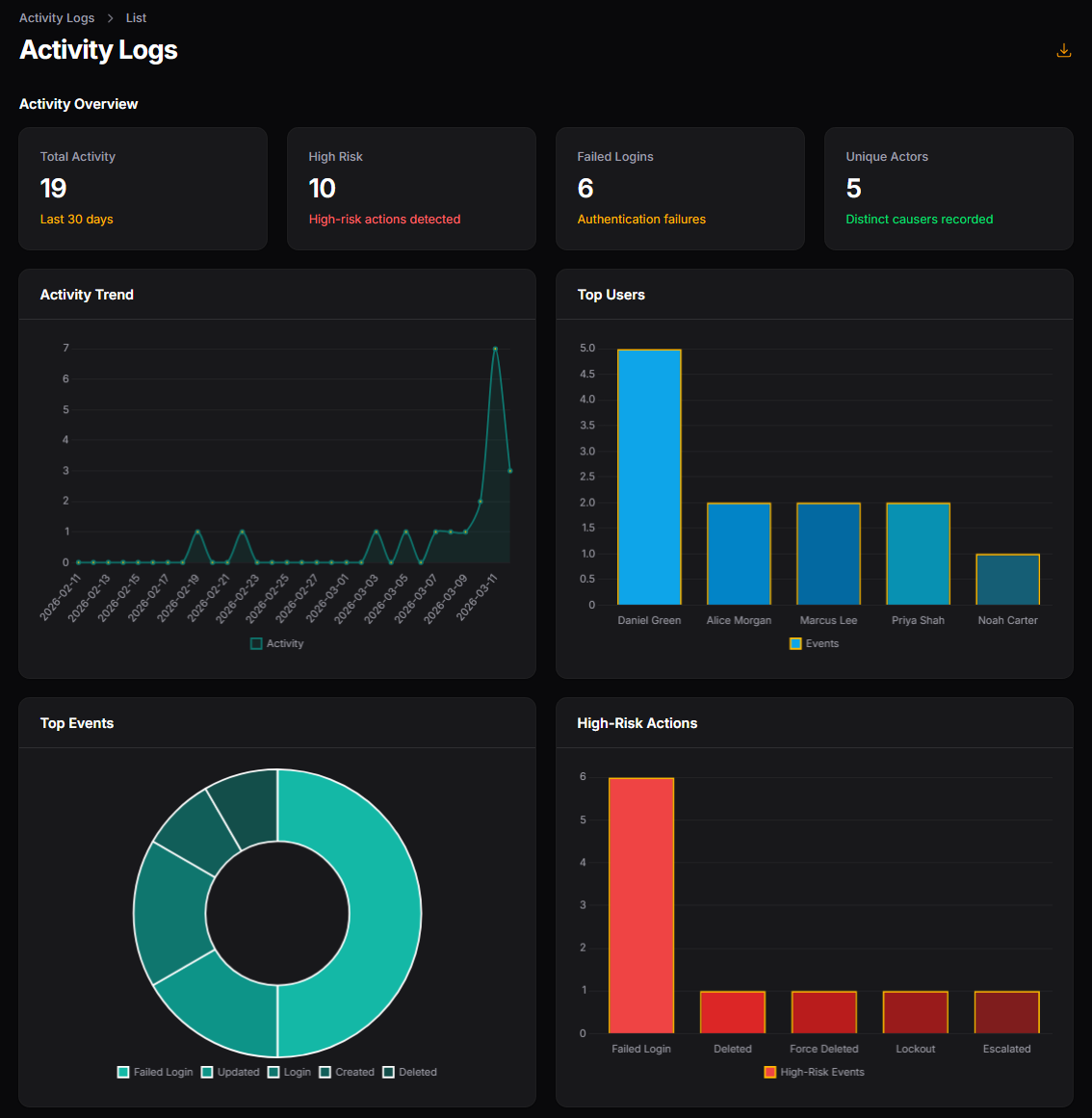
Dashboard widgets help spot spikes and risky behavior quickly:
'dashboard' => [
    'enabled' => true,
    'lookback_days' => 30,
    'top_limit' => 5,
],
The current widgets cover:
- total activity
- high-risk activity
- failed logins
- unique actors
- activity trend over time
- top users
- top events
- high-risk actions
Widget stat cards and chart headings can be used as drill-down shortcuts into the activity review page. Each shortcut opens the resource using a matching playbook, which applies the configured tab preset and optional date filter parameters.
Investigation Playbooks
Playbooks provide one-click review paths by bundling a saved tab preset with an optional date preset:
'activity_playbooks' => [
    'all_activity' => [
        'label' => 'All Activity',
        'icon' => 'heroicon-o-bars-3-bottom-left',
        'preset' => 'all',
    ],
    'high_risk_incidents' => [
        'label' => 'High Risk Incidents',
        'icon' => 'heroicon-o-shield-exclamation',
        'preset' => 'high_risk',
        'date_preset' => 'last_30_days',
    ],
    'auth_anomalies' => [
        'label' => 'Auth Anomalies',
        'icon' => 'heroicon-o-finger-print',
        'preset' => 'auth_anomalies',
        'date_preset' => 'last_30_days',
    ],
    'failed_logins' => [
        'label' => 'Failed Logins',
        'icon' => 'heroicon-o-exclamation-triangle',
        'preset' => 'failed_logins',
        'date_preset' => 'last_7_days',
    ],
    'destructive_actions' => [
        'label' => 'Destructive Actions',
        'icon' => 'heroicon-o-fire',
        'preset' => 'destructive_recent',
        'date_preset' => 'last_7_days',
    ],
],
Playbooks Quick Start
- Keep the default
activity_playbooksconfig or add your own keys. - Open the Activity resource and use the Playbooks header action.
- Click a playbook to open the matching review tab and date scope automatically.
Custom Playbook Example
You can add a custom playbook for your own workflow:
'activity_playbooks' => [
    'sensitive_changes_last_24h' => [
        'label' => 'Sensitive Changes (24h)',
        'icon' => 'heroicon-o-key',
        'preset' => 'high_risk',
        'date_preset' => 'last_24_hours',
    ],
],
Deep-Link Example
Playbook links are resolved to Activity resource query parameters. Equivalent deep links can be built directly:
/admin/activity-logs?activeTab=high_risk&tableFilters[created_at][preset]=last_30_daysThe Activity page header includes a Playbooks action group, and dashboard drill-down links use these playbooks to open coherent filtered review views.
Retention and Pruning
Prune old activity records with:
php artisan filament-logger:pruneExamples:
php artisan filament-logger:prune --days=90
php artisan filament-logger:prune --days=90 --log-name=Access --log-name=Resource
php artisan filament-logger:prune --days=90 --except-log-name=Notification
php artisan filament-logger:prune --dry-run
You can also set defaults in config:
'pruning' => [
    'days' => 365,
    'only' => [],
    'except' => [],
],
Recommended scheduler entry:
use Illuminate\Support\Facades\Schedule;

Schedule::command('filament-logger:prune')->daily();